
AudioLumo vs Soundly: your local library or a cloud of new sounds?
AudioLumo and Soundly can both help you find a sound. The important difference is what you are paying for. AudioLumo focuses on your existing Mac library with a one-time purchase. Soundly combines local files with an extensive cloud sound-effects platform.
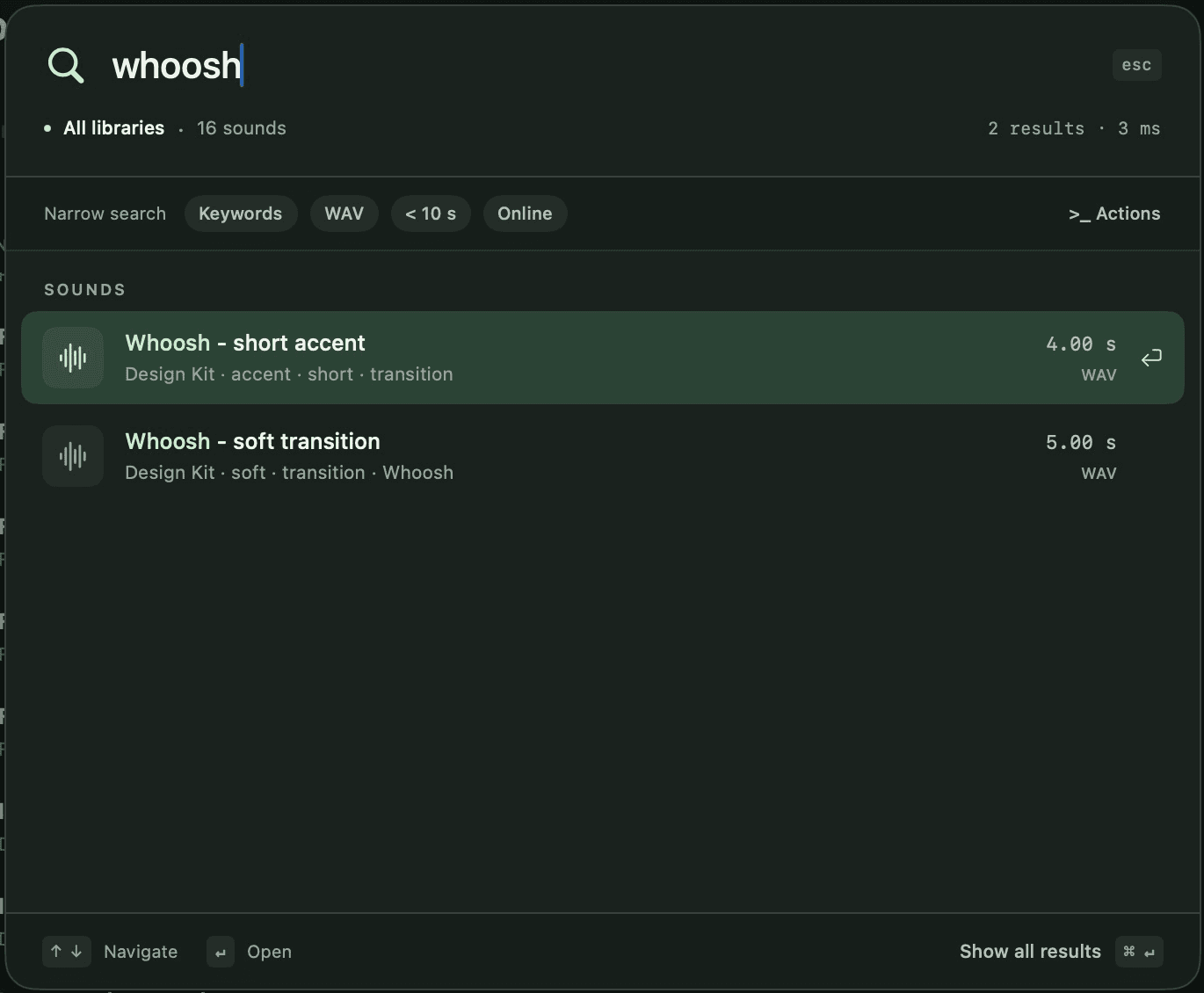
Our recommendation
AudioLumo
For an independent Mac editor who already owns sound packs and wants no recurring bill, AudioLumo is our pick. Soundly is the better fit when its included cloud library, natural-language search or collaboration features are part of your daily work. Soundly is available now; AudioLumo's release is in preparation.
What kind of library are you building?
AudioLumo starts with the folders on your Mac or connected drives. Add your recordings and purchased effects, keep the originals in place, and make them searchable. Keywords, descriptions and custom fields add context that filenames often miss. Favourites, collections and saved searches help you return to useful material.
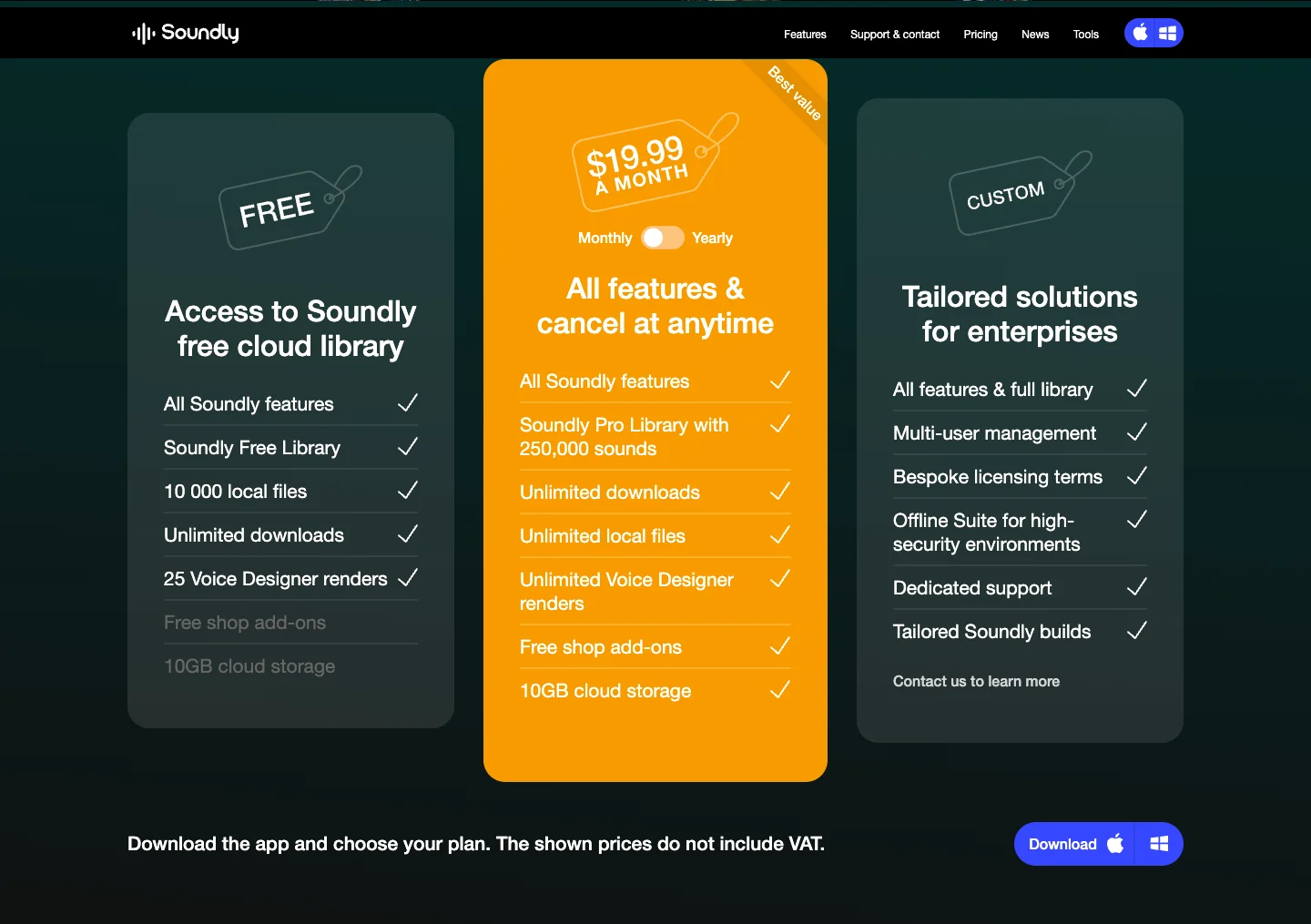
Soundly's offer is broader: it searches local files and gives access to a cloud library. Its official Pro plan advertises 250,000 sounds, unlimited local indexing and additional creative tools. If you need new licensed effects for every production, that supplied catalog can be more valuable than the manager alone. AudioLumo does not include sounds or a comparable cloud catalog.
A one-time app purchase versus an ongoing service
Soundly's monthly Pro plan is listed at US$19.99 per month, excluding VAT. The site also offers a discounted annual billing option. Soundly Free is a meaningful alternative: its official plan information allows 10,000 local files and access to a smaller free library. Do not assume that using Soundly always requires a paid subscription.
AudioLumo's planned purchase covers the app for managing your own files. The launch price and its limits are shown below, followed by the regular one-time price. The distinction is useful if you are buying software rather than continuing access to a supplied sound library. Currency, tax and content differences mean these are different offers, not identical baskets with different prices.
From a search to Premiere Pro or DaVinci Resolve
In AudioLumo, Command-K opens quick search for names, paths and your own metadata. Preview the result, select the relevant waveform range and export a WAV. Whole-file and processed exports are also available. This suits editors who want to find an existing asset and bring the useful portion into their project.
Soundly advertises natural-language search, related suggestions and custom integrations with tools including Premiere, Pro Tools and Reaper. AudioLumo's Premiere and DaVinci workflow uses exported audio files; it is not the same kind of direct integration. Choose based on the handoff you actually need rather than counting both as identical checkmarks.
Local organisation without another catalog account
AudioLumo stores its catalog locally and does not require an AudioLumo account. An indexed disconnected drive remains searchable, which helps you locate the right disk before reconnecting it. Previewing and exporting still need the original file. Cloud-provider placeholders must be made locally available first.
Soundly also documents offline operation; it should not be described as an app that only works online. Its cloud storage, shared databases and team options address a different need: making material available across people and systems. If that is your workflow, evaluate those capabilities directly rather than treating all cloud features as a disadvantage.
Which one should you choose?
Pick AudioLumo when you have the sounds, work on an Apple Silicon Mac with macOS 14 or later, and want a focused way to search, audition, organise and export them. Its one-time purchase model is especially relevant when you do not need to rent access to additional content.
Pick Soundly when the cloud library is central to your work, you need its collaboration or integration features, or the Free plan already covers your library. You can also keep using a content service while organising your own assets separately. AudioLumo is preparing its Mac App Store release, so the walkthrough is currently the place to evaluate its workflow.
Compare at a glance
Scroll the table horizontally on smaller screens.
| What matters | AudioLumo | Soundly |
|---|---|---|
| Listed price | €29 launch price · then €49 | US$19.99 / month · Pro monthly |
| Payment model | One-time purchase. No subscription. | Subscription; Free plan also available |
| Platform | macOS 14+ · Apple Silicon | Mac & Windows |
| Sounds included | Your own files; no sound pack included | Pro cloud library + your local sounds |
| Best fit | Personal local sound library on Mac | Cloud sounds, local files and team sharing |
| Metadata & workflow | Keywords, descriptions, custom fields; WAV range export | Metadata editing, natural-language search, DAW integrations |
Prices checked on 23 October 2026. Original currencies are shown without conversion. Soundly explicitly excludes VAT; taxes, region, license options and offers can change the other checkout totals. Check the linked vendor before buying.
One-time purchase. No subscription.
Launch offer for the first 100 purchases or until 30 November 2026, whichever comes first. €49 from 1 December 2026 at the latest.
Mac App Store release in preparation. No purchase is available yet; the final price is shown in your regional App Store.
Sources & screenshots
Manufacturer pages used for this comparison. Screenshots illustrate the interface or published pricing; they are not speed-test results.
Questions before you choose
Is Soundly Free limited to 2,500 local files?
The official pages checked for this article state 10,000 local files. Older comparisons may describe a different limit. Always use the current manufacturer plan page.
Can AudioLumo replace Soundly's sound library?
No. AudioLumo does not supply a cloud effects catalog. It is an alternative for organising your own files, not a replacement for the licensed sounds included in Soundly Pro.
Can I import my local Soundly database?
AudioLumo provides a read-only import of a local Soundly database. This is not a cloud-library download and does not transfer any rights to content you do not own.
Published by AudioLumo, one of the products compared. Competitor facts come from the linked manufacturer pages; recommendations reflect our focus on personal Mac sound libraries. This is a feature and pricing comparison, not a performance benchmark.